
Dollar General-Digital Coupons
DOLLAR GENERAL CORPORATIONShopping
4.756.25K Reviews
- Version
- 16.1.226
- Installs
- 10.00M
- Age Rating
- Everyone
Screenshots
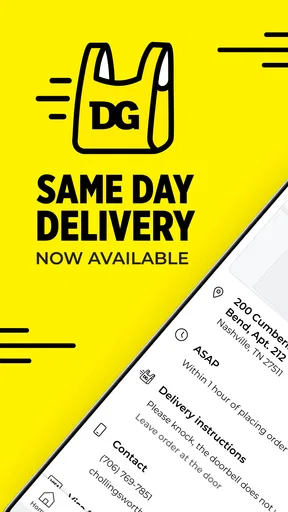
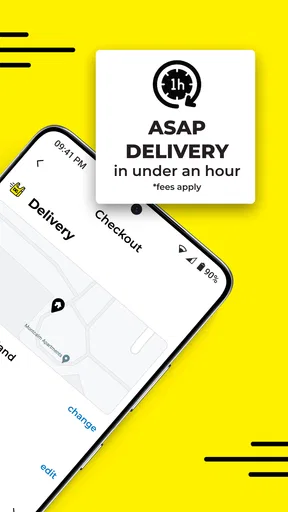
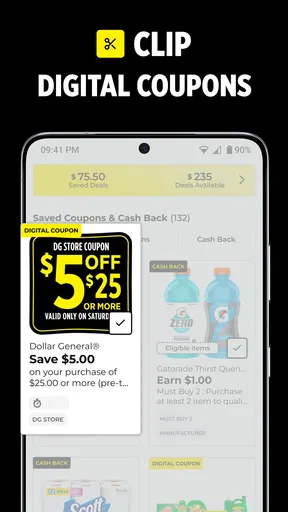
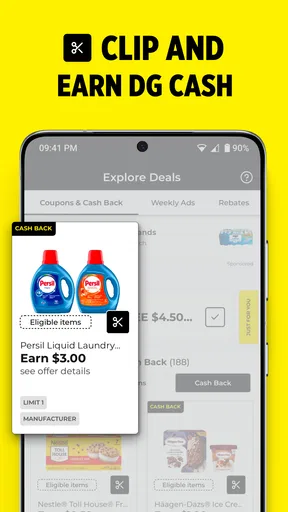
Our Review of Dollar General-Digital Coupons
 Analysis by Appyee
I see Dollar General-Digital Coupons as a practical companion for shoppers who already visit Dollar General, rather than a general-purpose deal finder. Its value comes from bringing store offers and shopping preparation together: I can check what may be worth buying, keep a list, and have eligible clipped coupons applied at checkout. That makes it useful when a trip is planned around everyday essentials, though it is less compelling if you shop across many retailers and want one app to compare them all.
The app is free, developed by DOLLAR GENERAL CORPORATION, and sits in the shopping category. Its 4.7 average across around 823,000 ratings and more than 10 million installs suggest that it has found a large audience, but I would treat popularity as context, not proof that every coupon will fit my basket. The best reason to try it is simpler: if Dollar General is already part of your routine, checking the app before leaving can help you make a more deliberate list.
What the app is best at
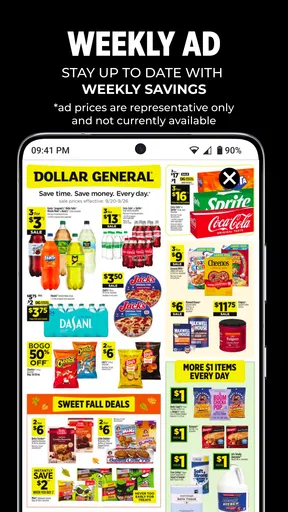
The strongest case for using it is the connection between digital coupons and a specific retailer. General coupon apps can surface offers from many places, but then I still have to work out where each deal applies. Here, the store context is built in. The weekly ad and digital offers give me a reason to check before shopping, while the account-based coupon approach keeps the checkout step relatively simple once I have clipped the offers I want.
That distinction matters most for ordinary, mixed shopping trips rather than elaborate coupon strategies. If I need household basics, snacks, or groceries and Dollar General is convenient, a quick review of relevant offers can help me decide what belongs on the list. I would not assume every advertised deal is automatically a saving: it only helps when the item is something I actually need and the offer matches the product I plan to buy.
Getting Started with Dollar General-Digital Coupons
First things first, downloading and setting up the app is a breeze. Available on both Android and iOS, the app is relatively lightweight and won’t hog too much space on your device. Once installed, you’ll need to create an account or log in if you’re already part of the Dollar General family. The sign-up process is straightforward, asking for basic information like your email and zip code.
After logging in, you’re greeted with a clean and user-friendly interface. The main dashboard is well-organized, showing the latest deals and featured coupons. It’s kind of like having a personal assistant who knows exactly what’s on sale and when!
In practical terms, the account is central to the coupon workflow, so I would set it up before reaching the register rather than trying to troubleshoot while holding up a queue. The app’s store summary also points to local weekly-ad information in the myDG account. That local angle is useful when I want to plan around the store I actually visit, not just browse offers without a destination in mind.
Exploring the Features
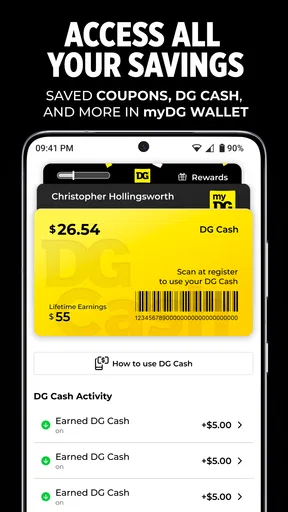
The Dollar General-Digital Coupons app offers a variety of features that cater to both seasoned couponers and newbies alike. One of the standout features is the digital coupons section. You can browse through a plethora of coupons across different categories, from groceries to household items. Clipping coupons is as easy as tapping a button, and they’re automatically added to your account.
Another cool feature is the shopping list. You can create and manage your shopping list directly within the app. As someone who’s always jotting down lists on random pieces of paper, this feature is a game-changer. Plus, the app matches your list with available coupons to ensure you’re getting the best deals.
Let’s not forget the store locator. If you’re traveling or just want to find the nearest Dollar General, this tool comes in handy. It’s accurate and provides details like store hours and contact information.
One useful habit is to treat the list as the starting point for a planned trip, not as a promise that every item will be in stock or that every offer will attach to a purchase. I would check the wording of a coupon against the exact product I intend to buy, then keep the list focused on essentials and genuinely worthwhile extras. This avoids a familiar couponing trap: spending more because a deal looked attractive in isolation.
The weekly ad and coupons also serve different purposes. I find the ad more helpful for scanning what is being promoted locally, while clipped coupons are the offers I have deliberately saved to my account. Looking at both before I leave can help me decide whether a trip is worth making and what to prioritize. It is a small planning step, but it is more useful than browsing deals after I have already filled a basket.
How it fits into a real shopping trip
I use this section to connect the app’s planning tools with the decisions I make once I’m actually shopping: what to check before leaving, what to keep on my list, and what deserves a second look at checkout. A useful next step is to decide in advance which purchases are non-negotiable, so a tempting offer doesn’t quietly reshape the trip.
Using the App In-Store
So, how does the app perform when you’re actually in the store? Pretty well, I must say. Once you’ve clipped your coupons, just head to your nearest Dollar General. At checkout, all you need to do is enter your phone number at the payment terminal. The system automatically applies your clipped coupons to your purchase. It's smooth sailing!
I did encounter a minor hiccup where a coupon didn’t apply correctly, but a friendly cashier was quick to help resolve the issue. It’s always good to double-check your receipts to ensure everything applies as it should.
A realistic use case is a quick stop on the way home when I need a few pantry or cleaning items. Before leaving, I can compare my list with the offers I have clipped, then avoid wandering through aisles simply because something is discounted. At checkout, I use the account-linked process and review the receipt before walking away. That final check is worth building into the routine: it gives me a chance to notice a missed coupon while the purchase is still fresh and ask staff for help if needed.
The app is most convenient when I have a reliable connection and enough time to prepare at home. If I wait until I am at the register to search for a coupon, confirm the terms, or remember which phone number is associated with my account, the experience can feel less smooth. I would clip relevant offers in advance and keep the phone number handy, especially on a busy trip. This is not a complicated system, but a little preparation makes the difference between a quick checkout and an avoidable delay.
Where the trade-offs show up
Like any app, Dollar General-Digital Coupons isn’t without its quirks. There are occasional glitches, especially when navigating between tabs. I noticed some lag when trying to load a large list of coupons. However, these issues were infrequent and didn’t significantly impact my overall experience.
I also think the app could benefit from push notifications for expiring coupons or new deals. Currently, you have to manually check the app for updates, which can be a bit tedious if you’re someone who likes to stay on top of every deal.
That manual checking changes how I would use it: rather than treating it as a live alert service, I would make a quick visit to the app part of my shopping routine. For example, I might check the local ad and coupon section when I am already deciding what to buy for the week, then stop browsing once I have covered my list. If you expect the app to remind you at just the right moment, this approach may feel like extra work.
There is also a trade-off between saving time and maximizing every possible discount. Browsing a long set of offers can become its own task, and a coupon is not useful simply because it is available. I would focus on offers that match planned purchases, rather than trying to build a basket around every promotion. Shoppers who enjoy detailed coupon stacking or comparing prices across several stores may prefer to use broader comparison tools alongside this app, or skip it if they do not shop at Dollar General often.
Who should make room for it
I would recommend it most to regular Dollar General shoppers who want a simple way to review store-focused offers and organize a short shopping list. It is particularly handy for people who make repeat trips for household supplies or groceries and can benefit from checking promotions before buying. New coupon users may also find the digital format less fiddly than carrying paper coupons, since clipping happens in the account and the checkout routine is tied to the shopper’s phone number.
On the other hand, I would not choose it as my main shopping tool if I rarely visit Dollar General, want a single view of deals across competing retailers, or dislike creating accounts for store-specific services. It is also not the right fit for someone who expects every coupon to apply without checking its terms or reviewing the receipt. The app helps with the process, but it does not replace attention at the shelf and register.
For a household trying to keep a routine shop manageable, the most useful workflow is modest: check the local ad, clip only offers that fit the planned basket, add needed items to the list, and confirm the receipt after checkout. That keeps the app from turning savings into a hobby that consumes more time than it returns. If the closest store is convenient and the offers line up with what I already buy, that routine feels worthwhile; if not, I would shop where the overall basket makes more sense.
Final Thoughts
All in all, the Dollar General-Digital Coupons app is a fantastic tool for anyone looking to save money while shopping at Dollar General. It’s intuitive, packed with useful features, and makes the couponing process much more accessible. While it has a few minor flaws, the benefits far outweigh them.
If you’re a regular Dollar General shopper or someone who loves a good deal, I highly recommend giving this app a try. Just remember to keep an eye on your receipts and maybe suggest some improvements to the developers if you encounter any issues.
Happy shopping, and may your cart always be full and your wallet a little heavier!
The age rating is Everyone, the listed release date is November 13, 2012, and the current version is 15.20.101, with Android support starting at version 7.0. Those details make it approachable for a broad range of shoppers and indicate that it has been around for years, though what matters more in daily use is whether the current app runs smoothly on your device and supports the store routine you already have.
My final view is positive but specific: I would keep this app for Dollar General trips, not rely on it as a universal bargain finder. Its combination of local-ad browsing, account-based coupons, a list, and store information can make an ordinary errand more organized. The occasional friction and need to check offers manually are real drawbacks, yet they are manageable if I prepare before shopping. For the right shopper, that is a fair exchange for a more focused way to plan and redeem savings.
Privacy and Permissions
See what permissions an app requests and how it handles your data.
- Location
- approximate location (network-based), precise location (GPS and network-based)
- Photos/Media/Files
- read the contents of your USB storage, modify or delete the contents of your USB storage
- Storage
- read the contents of your USB storage, modify or delete the contents of your USB storage
- Camera
- take pictures and videos
- Other
- view network connections, pair with Bluetooth devices, access Bluetooth settings, full network access, run at startup, control vibration, prevent device from sleeping, read Google service configuration
Verdict
Strengths of Dollar General-Digital Coupons
- Easy to navigate interface.
- Wide range of available coupons.
- Quick coupon loading times.
- Personalized savings recommendations.
- Free to download and use.
Limitations of Dollar General-Digital Coupons
- Occasional app crashes reported.
- Limited in-store availability tracking.
- Requires account creation for use.
- Some coupons have short expiration dates.
- Not all discounts stack with sales.
Similar Picks in This Category
View All
SHEIN-Shopping Online
Roadget Business PTE. LTD.4.8

Amazon Shopping
Amazon Mobile LLC4.4


Mercado Libre: Compras online
Mercado Libre4.8

Wish: Shop and Save
Wish US Holdings LLC4.7

Alibaba.com - B2B marketplace
Alibaba Mobile4.4
Frequently Asked Questions
What is Dollar General-Digital Coupons, and how does it work?
Dollar General-Digital Coupons is an app designed to provide users with digital coupons that can be redeemed at Dollar General stores. Users can browse available coupons, add them to their account, and apply discounts during checkout. The app also offers weekly ads and deals, enhancing the shopping experience by helping users save money on everyday purchases.
How do I redeem digital coupons at Dollar General using the app?
To redeem digital coupons, download the Dollar General app and create an account. Browse the available coupons and add them to your account. At checkout, enter your phone number linked to your account at the register. The discounts will automatically apply to eligible items in your cart, making savings seamless and easy.
Are there any fees associated with using the Dollar General-Digital Coupons app?
No, the Dollar General-Digital Coupons app is free to download and use. There are no hidden fees or charges for accessing and redeeming digital coupons. Users can enjoy the benefits of the app without any financial commitment, making it a cost-effective tool for shoppers looking to save money.
Can I use the Dollar General-Digital Coupons app on multiple devices?
Yes, you can use the Dollar General-Digital Coupons app on multiple devices. Simply log in to your account on each device to access your saved coupons and shopping lists. This feature allows for flexibility, enabling you to manage your coupons and plan your shopping trips conveniently from any compatible device.
What types of products can I find coupons for in the app?
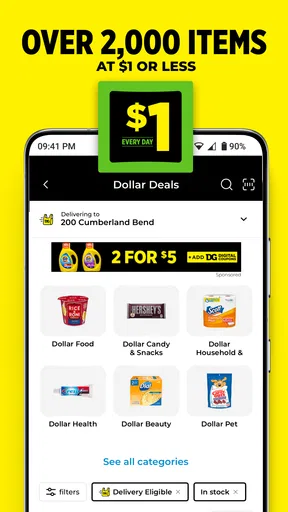
The Dollar General-Digital Coupons app offers a wide range of coupons for various products, including groceries, household items, personal care products, and more. The selection is regularly updated, providing users with opportunities to save on both everyday essentials and occasional purchases. Check the app frequently to catch the latest deals and offers.
